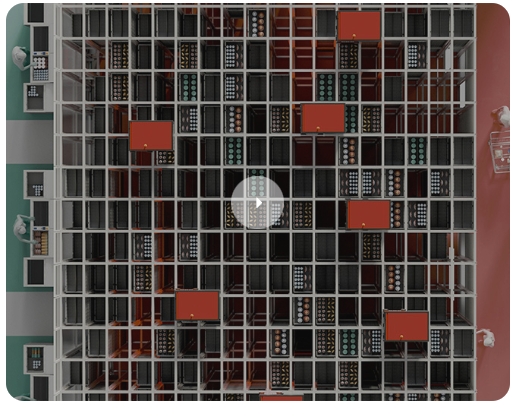
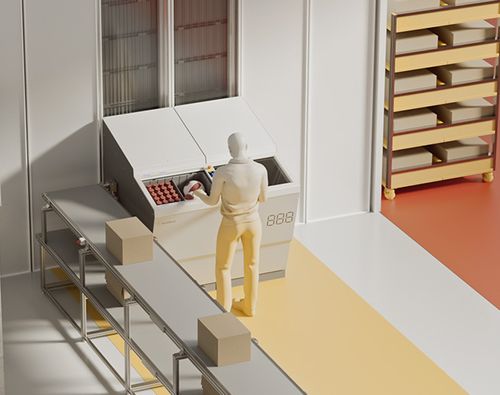
With FusionPort Staging, operators can now efficiently pick and stage orders using one workstation and store them right inside the AutoStore™ Grid. It eliminates the need to use floor space, reducing your real estate costs.
Staging orders within the AutoStore system provides you with up to four times more storage capacity as compared to traditional on-the-floor staging. The pre-integrated pick-to-light (PTL) interface eliminates the time and money needed to implement a third-party picking guidance system.
4x
Storage Capacity Quadruple your available space
PTL
Comes Pre-Installed No need for external guidace system
Interested in Fusion Port Staging?
Let's talk about how it helps worker retention and productivity
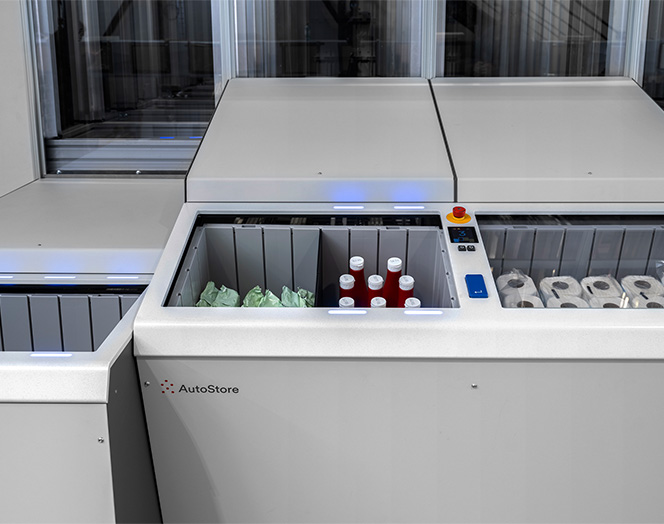
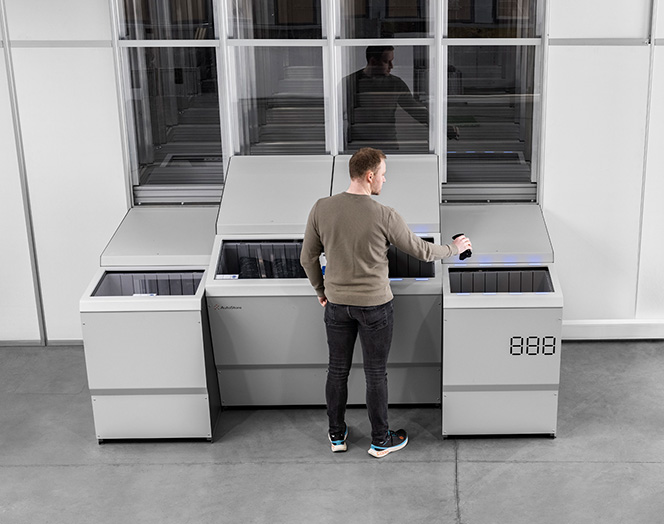
FusionPort Staging is equipped with two source Bin openings located side-by-side in the Port’s center and two target Bin openings on the Port’s outside edges. Operators pick items from the source Bin openings and move them to target locations. From there, the automated system moves the pre-picked or fulfilled orders back into the Grid until they are ready for delivery or pickup. This unique, streamlined design allows you to fulfill orders even more efficiently than is conventionally possible with other AutoStore workstations.
550
Bins/hour Max throughput for source Bin openings
400
Bins/hour Max throughput for target Bin openings
Happy Workers
Enhance employee well-being
FusionPort Staging is built on the same employee-centric principles of the FusionPort workstation. Tilted source Bin openings and an ergonomic user interface minimize the strain and fatigue of long work shifts. Safety hatches remain closed until Bins are ready for picking and staging, guaranteeing a safe and secure transfer of products from Robots to humans.
2
Source Bin Openings Angled at 15 degrees to minimize reaching
4
Safety Hatches Stay closed until Bins are ready
Technical Specification
Bin Height Support
220 mm, 330 mm, and 425 mm
Max. Load Including Bis
35 kg (77 lbs)
Max. Bin Throughput
550 Bins/hr.
Operating Temperature
+2° C (35.6° F) to +35° C (95° F)
Power Consumption
Average: 80 W (normal operation) Max.: 190 W (higher than 20 seconds)
Staging consolidated orders directly inside the AutoStore system eliminates the need for costly on-the-floor staging areas. You can also leverage the same AutoStore Grid used for item storage, resulting in higher accuracy, dust-free storage, and the same value proposition that you would expect from an AutoStore system.
AutoStore recommends using high-performance Ports such as FusionPort and RelayPort or transfer cells for retrieving Bins with the staged orders for packing and truck loading.
Yes. However, it is important to note the FusionPort Staging is compatible only with the AutoStore system equipped with Router software and Double/Double Grid.
/2025-02%20AutoStore%20Logo%20Landscape%20(red%20white).png?width=1920&height=338&name=2025-02%20AutoStore%20Logo%20Landscape%20(red%20white).png "2025-02 AutoStore Logo Landscape (red white)")
/2025-02%20AutoStore%20Logo%20Landscape%20(red%20black).png?width=1920&height=337&name=2025-02%20AutoStore%20Logo%20Landscape%20(red%20black).png "2025-02 AutoStore Logo Landscape (red black)")